Macro · Execution
#31 How to Trade FOMC Week With Macro Liquidity Signals
· 6 min read
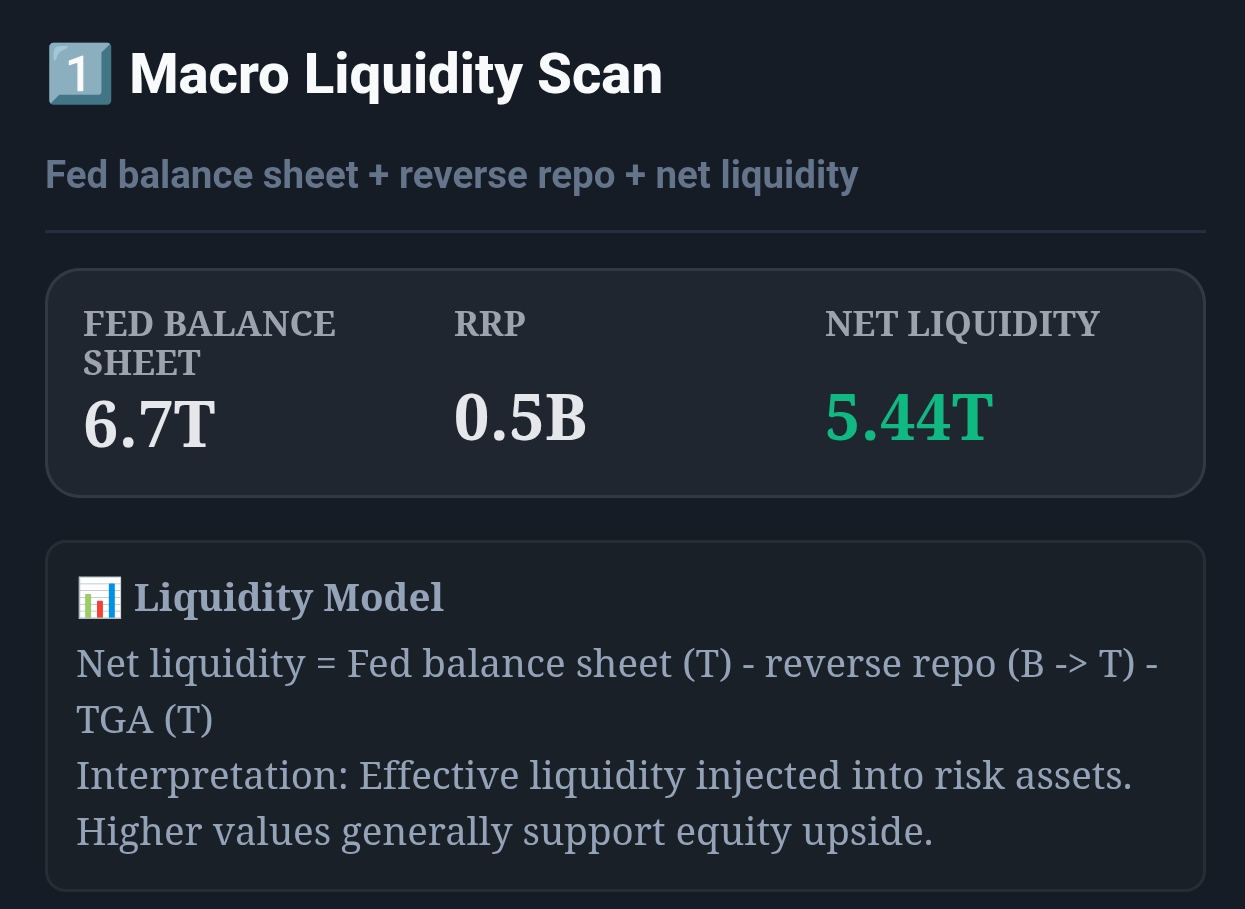
Live capture of Macro Liquidity Scan in Inveflo.
📍 Home › ANALYSIS_2 › Widget 1: Macro Liquidity Scan
0) Where to Find This Widget
Open ANALYSIS_2. Use Widget 1: Macro Liquidity Scan before and after FOMC to avoid sizing errors.
1) TL;DR
FOMC week is high-noise. Don’t trade the headline — trade the liquidity follow-through. Use a simple rule: if Net Liquidity is rising and RRP is falling into the meeting, you can stay risk-on. If the opposite is true, go smaller and wait.
2) Hook (Pain-Driven)
If you’ve ever bought a “dovish pivot” spike and got dumped the next day, you’ve experienced FOMC noise. The playbook is about surviving that noise with sizing rules.
3) Problem
Most traders change posture based on the press conference. But risk appetite is constrained by liquidity flows that show up over days/weeks, not minutes.
4) Solution (Widget Introduction)
Use Net Liquidity as the “structural” filter and RRP direction as the “risk appetite” filter. FOMC is just a catalyst for those variables to change.
5) Logic Breakdown (Formula + Thresholds)
- Risk-On bias: Net Liquidity rising for 2 weeks AND RRP falling week-over-week.
- Risk-Off bias: Net Liquidity falling for 2 weeks OR RRP spikes materially.
- Action thresholds: RRP weekly +200B = tighten; Net Liquidity 14d −0.40T = de-risk.
6) Practical Use (IF X → THEN Y)
- If it’s FOMC week and Net Liquidity is down for 2 weeks, then cap new exposure at 50% of normal size until Thursday data confirms.
- If RRP spikes ≥ 200B post-FOMC, then reduce equity exposure by 15% within 1–3 sessions.
- If Net Liquidity rebounds by 0.40T within 14 days, then add risk back gradually over 3 sessions.
7) Common Mistakes
- Trading the headline without a sizing plan.
- Full flipping in the first 24 hours (no confirmation).
- Ignoring RRP direction while focusing only on Fed statements.
CTA: Open Macro Calendar
Check upcoming macro events, policy-rate context, and event-risk windows before planning the next trade.