Macro · Liquidity
#33 Macro Liquidity Scan Mistakes: 7 Common Fixes
· 6 min read
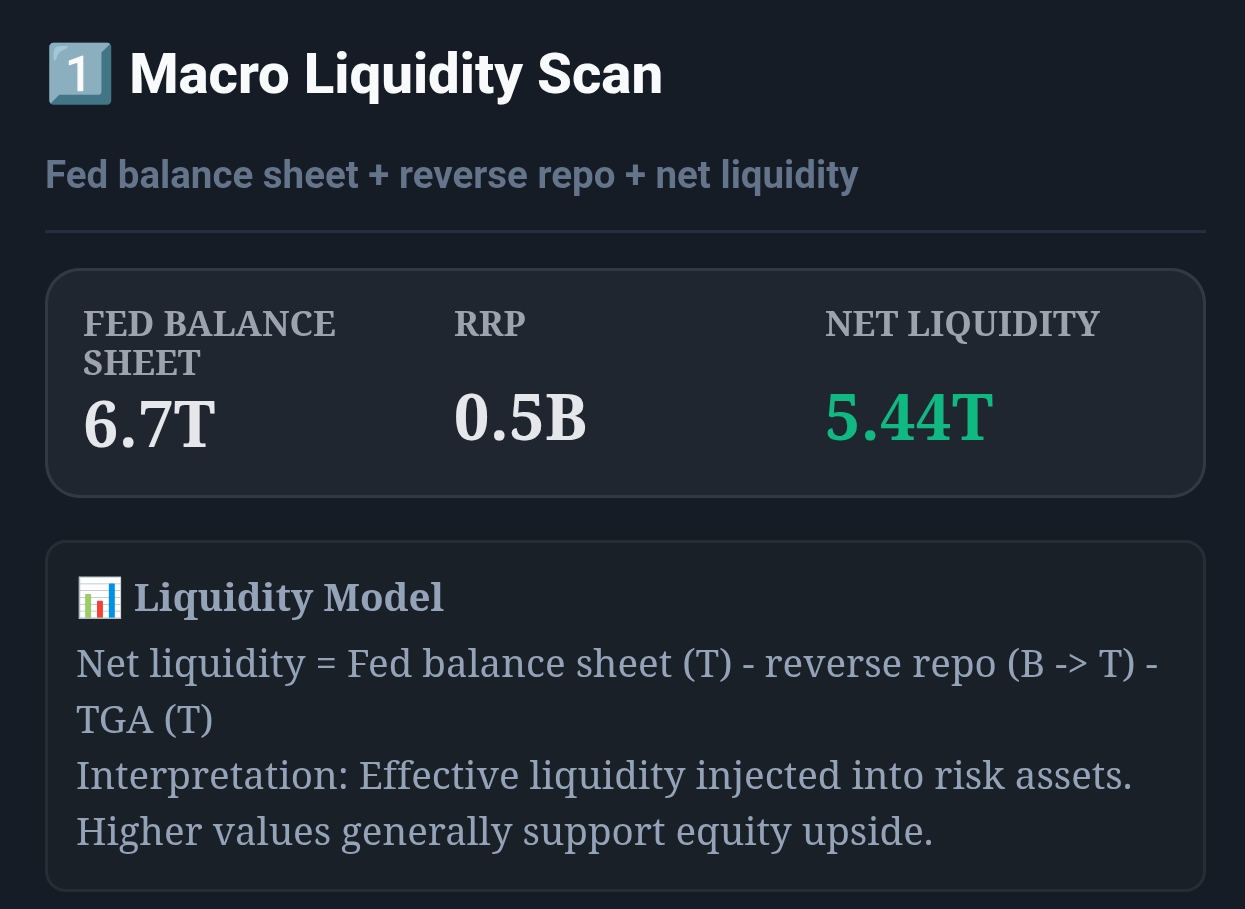
Live capture of Macro Liquidity Scan in Inveflo.
📍 Home › ANALYSIS_2 › Widget 1: Macro Liquidity Scan
0) Where to Find This Widget
Open ANALYSIS_2 and use Widget 1: Macro Liquidity Scan as your regime filter before entries and before weekly rebalancing.
1) TL;DR
Most mistakes come from reacting to one number. Use Net Liquidity level + trend, and confirm with RRP/TGA direction. If you do only one thing: apply the 2-week confirmation rule (post #32).
2) Hook (Pain-Driven)
Liquidity is the easiest thing to read incorrectly — because it looks like a single number. The market punishes the “one-week flip” reflex.
3) Problem
You can have the right macro thesis and still execute poorly if you overreact. Mistakes here show up as churn: constant reallocations, missed rebounds, and “I was right but I lost.”
4) Solution (Widget Introduction)
Treat Macro Liquidity Scan as a process (weekly routine) not a prediction. The fixes below are mechanical.
5) Logic Breakdown (Formula + Thresholds)
- Zones: >5.0T risk-on, 4.0–5.0T neutral, <4.0T risk-off.
- Trend: use 2-week slope; slope < 0 for 2 weeks = tightening.
6) Practical Use (IF X → THEN Y)
- If Net Liquidity is neutral but slope turns negative for 2 weeks, then reduce new entries by 50% (not a full flip).
- If Net Liquidity moves -0.40T in 14 days, then cut exposure by 15–30% within 1–3 sessions.
- If Net Liquidity is risk-on but RRP spikes hard, then keep exposure but tighten stops by 1–2% for 5 sessions.
7) Common Mistakes
- Mistake 1 — One-week flips. Fix: 2-week confirmation (or 0.40T/14d).
- Mistake 2 — Level-only reads. Fix: always write down the 2-week slope.
- Mistake 3 — Ignoring RRP. Fix: treat rising RRP as tightening pressure.
- Mistake 4 — Ignoring TGA. Fix: rising TGA = liquidity drain; reduce aggression.
- Mistake 5 — Rebalancing all at once. Fix: scale 3 sessions.
- Mistake 6 — Using regime as “trade signal.” Fix: use it for sizing, not entries.
- Mistake 7 — No routine. Fix: one weekly checklist (post #31).
CTA: Open Macro & Flow Dashboard
Open the live liquidity and capital-flow widgets to turn this guide into a weekly portfolio decision process.