Macro · Liquidity
#35 Macro Liquidity Weekly Checklist: A 10-Minute Regime Read
· 7 min read
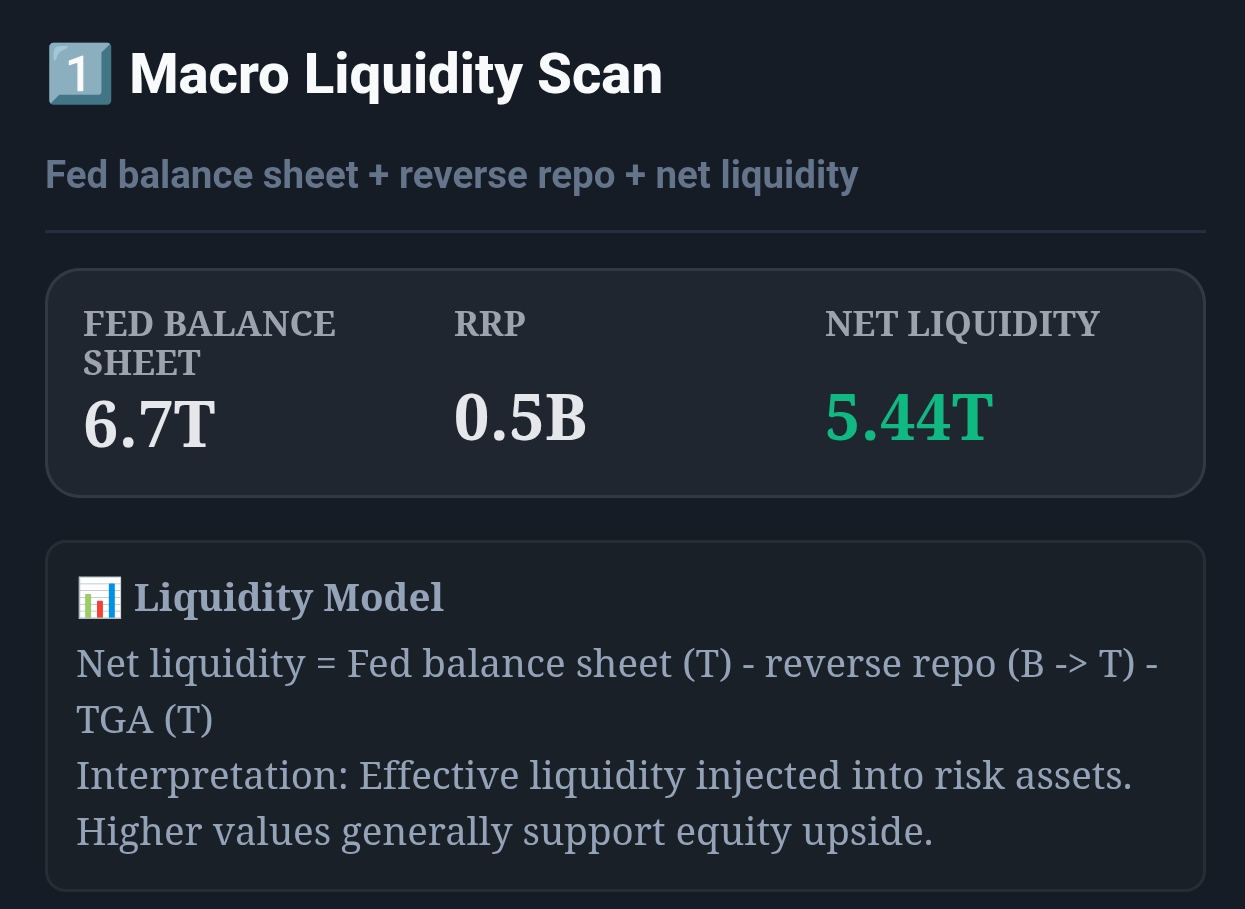
Live capture of Macro Liquidity Scan in Inveflo.
📍 Home › ANALYSIS_2 › Widget 1: Macro Liquidity Scan
0) Where to Find This Widget
From the main dashboard (12 tiles), open ANALYSIS_2. At the top, Widget 1: Macro Liquidity Scan shows Fed Balance Sheet (T), Reverse Repo (B), TGA (T), and Net Liquidity (T).
1) TL;DR
Run one checklist per week. If Net Liquidity is > 5.0T and rising, you can size risk-on. If it is < 4.0T or falling for 2 weeks, you must de-risk. The goal is not prediction — it’s avoiding the mistake of holding max exposure during liquidity tightening.
2) Hook (Pain-Driven)
The common failure mode is simple: your watchlist is right, your entries are fine — but you’re sized like it’s risk-on while liquidity is tightening. A 10-minute weekly checklist is enough to prevent that category of loss.
3) Problem
Most investors rebalance only after price damage. Liquidity is a leading constraint: when it tightens, breakouts fail more often and drawdowns deepen. Without a calendar-based routine, you react late and churn.
4) Solution (Widget Introduction)
Use Widget 1: Macro Liquidity Scan as a “regime filter.” You do not need a perfect model — you need a consistent read.
- Fed Balance (T): baseline liquidity supply.
- RRP (B): parked cash; rising tends to be risk-off.
- TGA (T): treasury cash drain; rising tends to tighten liquidity.
- Net Liquidity (T): the combined “effective” liquidity.
5) Logic Breakdown (Formula + Thresholds)
- Risk-On Zone: NetLiquidity > 5.0T AND 2-week slope > 0.
- Neutral Zone: NetLiquidity 4.0T–5.0T OR mixed signals.
- Risk-Off Zone: NetLiquidity < 4.0T OR 2-week slope < 0 with rising RRP.
- Confirmation Rule: flip only after 2 consecutive weekly closes in the new zone or a 0.40T move in 14 days.
6) Practical Use (IF X → THEN Y)
- If NetLiquidity is > 5.0T for 2 weeks and RRP is falling, then increase long exposure by +20% over 3 sessions.
- If NetLiquidity drops below 4.0T and stays there for 2 weeks, then cut equity exposure by 25% and tighten stops by 1–2%.
- If NetLiquidity is in 4.0T–5.0T but RRP spikes materially, then keep exposure flat and reduce new entries by 50%.
7) Common Mistakes
- Flipping regimes on a single week print (ignore 1-week noise; use the 2-week confirmation rule).
- Using only Fed Balance level and ignoring RRP/TGA (net effect is what matters).
- De-risking too late after drawdown starts (the checklist exists to act before the chart breaks).
CTA: Open Macro Liquidity System
Use the live macro, credit, regime, and momentum widgets to validate the rules from this guide.